
Golf Simulator Room Dimensions by Launch Monitor Type

Start With the Space You Actually Have
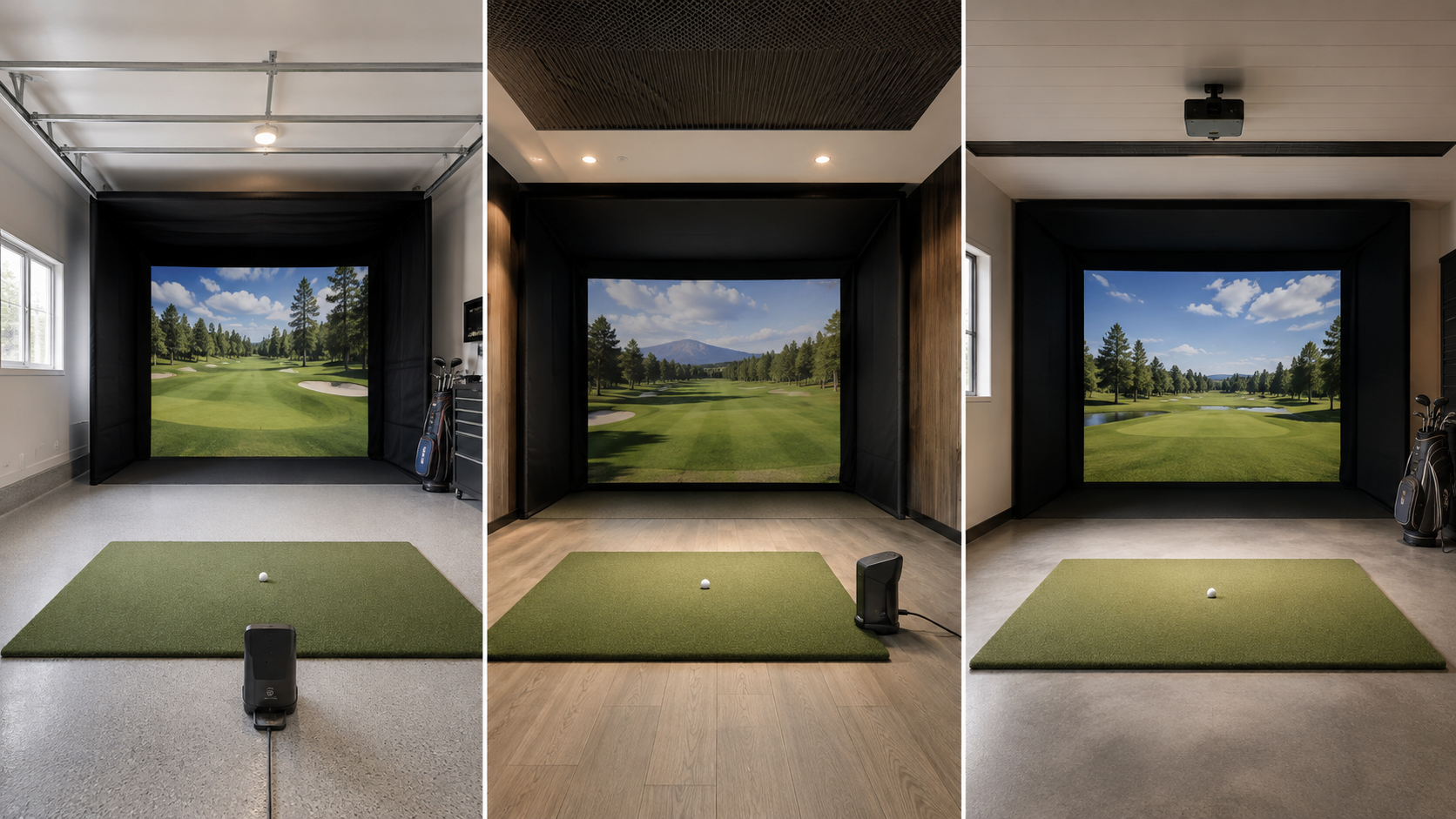
Golf simulator room dimensions are not determined by the enclosure alone. The type of launch monitor you choose affects where the ball sits, how much room is needed behind the golfer, and how far the ball must travel before reaching the screen or net.
A radar-based monitor normally sits behind the ball and needs room to track the shot. A floor-mounted camera monitor sits beside the ball and usually works with less room depth. An overhead monitor keeps the floor clear, but it requires the correct ceiling height, mounting position, and hitting area.
If you are still deciding between the two main technologies, start with our camera-based vs. radar-based launch monitor comparison.
The Three Measurements That Matter Most
Before comparing equipment, measure the room in three places:
- Ceiling height: Measure at the exact hitting position. The tallest golfer who will use the room should be able to make a full driver swing without feeling restricted.
- Room width: Allow enough space for the golfer, backswing, side protection, and an appropriate hitting position. A centered setup usually needs more width than an offset setup.
- Room depth: Include the space behind the golfer, the hitting position, the distance from the ball to the screen, and the safety space behind the screen.
Do not rely only on the advertised enclosure size. A 10-foot-deep enclosure does not mean the entire simulator will fit comfortably in a 10-foot-deep room.
Golf Simulator Room Dimensions by Launch Monitor Type
| Launch Monitor Type | Unit Position | Effect on Room Depth | Best Fit |
|---|---|---|---|
| Radar | Behind the ball | Needs tracking space behind the ball and ball-flight space in front | Longer rooms, garages, and indoor/outdoor use |
| Floor-Mounted Camera | Beside the ball | Does not require a long tracking area behind the golfer | Smaller indoor rooms and garage setups |
| Overhead Camera | Mounted above the hitting area | No floor unit, but mounting and sensor coverage must be planned | Dedicated rooms, commercial spaces, and right/left-handed play |
Golf Simulator Room Dimensions for Radar-Based Launch Monitors
Radar-based systems need the most attention when planning room depth. The monitor sits behind the ball and watches the ball travel toward the screen or net. That means the room must provide space on both sides of the hitting position.
For example, FlightScope instructs users to place the Mevo Gen2 8 feet directly behind the ball. Indoor use also requires at least 8 feet of ball flight. That creates a minimum 16-foot tracking area before accounting for additional screen clearance or room behind the device. You can review the official Mevo Gen2 setup instructions.
The Mevo+ also sits behind the ball. FlightScope recommends approximately 7–9 feet from the sensor to the tee and 13 feet of indoor ball flight for a full-swing setup. A limited-flight setup can use less ball flight, but the device still needs clear space behind the hitting position.
Radar can be a strong choice when you have enough depth, want to practice outdoors, or need right- and left-handed golfers to hit without moving the monitor. Browse the current FlightScope equipment available from Porters Golf.
Golf Simulator Room Dimensions for Floor-Mounted Camera Monitors
A floor-mounted camera launch monitor sits beside the ball and measures what happens at impact. It does not need several feet behind the golfer to track the complete flight of the ball.
This makes models such as the Uneekor EYE MINI and EYE MINI LITE a practical choice when room depth is limited. You still need enough distance between the ball and screen for safety, image projection, and comfortable play, but you are not reserving a large section of the room for a radar unit.
Floor-mounted units work especially well for a single right-handed or left-handed player. If golfers from both sides will use the simulator regularly, the monitor may need to be moved and realigned between players. That is something to consider before deciding that a floor-mounted unit is automatically the best fit.
The Uneekor EYE MINI LITE Garage Package is one example of a camera-based system designed for a dedicated home or garage setup.
Golf Simulator Room Dimensions for Overhead Launch Monitors
Overhead launch monitors keep the hitting area clear because there is no device sitting on the floor. Once properly mounted and calibrated, they can also accommodate right- and left-handed golfers without moving the monitor.
The tradeoff is that ceiling height, mounting position, and sensor coverage must all be correct. Uneekor recommends a minimum room size of 13 feet wide, 16 feet deep, and 10 feet high for the EYE XO2. The unit mounts on the ceiling in front of the golfer and must be positioned correctly over the hitting area.
TruGolf recommends approximately 9–10 feet of ceiling height and 15 feet of room width for the APOGEE when both right- and left-handed golfers will play. These requirements show why overhead systems should be selected before electrical work, ceiling treatment, or projector mounting is finalized.
For serious home installations or commercial spaces, the Uneekor EYE XO2 Commercial Package provides an overhead system with a clean, permanent hitting area.
Model-Specific Space Examples
These golf simulator room dimensions are based on current published manufacturer guidance and show how much the required space can change from one launch-monitor type to another.
| Launch Monitor | Type | Published Space Guidance |
|---|---|---|
| FlightScope Mevo Gen2 | Radar | 8 ft from unit to ball plus at least 8 ft of ball flight |
| FlightScope Mevo+ | Radar with synchronized camera processing | 7–9 ft from sensor to tee with 13 ft of ball flight recommended for indoor full swings |
| Uneekor EYE MINI LITE | Floor-mounted camera | Sits beside the ball; final room size depends on swing clearance, screen placement, and enclosure |
| Uneekor EYE XO2 | Overhead camera | 13 ft wide × 16 ft deep × 10 ft high recommended minimum room size |
| TruGolf APOGEE | Overhead camera | 9–10 ft ceiling height and 15 ft width recommended for right- and left-handed players |
Manufacturer measurements are starting points. Your golfer’s height, swing, enclosure, projector, screen clearance, and room construction can require additional space.
Do Right- and Left-Handed Golfers Need More Room?
They often do. A right-handed-only setup can sometimes be shifted away from one wall, giving the golfer more backswing clearance. A simulator shared by right- and left-handed golfers normally works better with a centered hitting position and more room on both sides.
Radar monitors sit behind the ball and generally work for golfers from either side without being moved. Overhead monitors also support shared play when the hitting zone and room width are correctly planned. A floor-mounted camera unit may need to be moved when players switch sides.
How to Measure Before Buying
Accurate golf simulator room dimensions require measuring the usable space—not simply copying the room measurements from a house plan.
- Measure the ceiling height at the planned hitting position—not only against the wall.
- Have the tallest regular user make a slow practice swing with a driver.
- Measure the usable width after accounting for doors, cabinets, tracks, posts, and wall protection.
- Mark the planned screen position and include the required safety space behind it.
- Mark the hitting position based on the launch monitor’s required ball-to-screen distance.
- If using radar, measure the required space behind the ball for the device.
- Confirm the projector’s throw distance before installing ceiling mounts or electrical outlets.
For the complete equipment-planning process, read our home golf simulator building guide.
Which Launch Monitor Type Fits Your Room?
Choose radar if: you have enough room depth, want indoor and outdoor flexibility, or need golfers from both sides to play without repositioning the monitor.
Choose a floor-mounted camera monitor if: room depth is limited, the simulator will mainly be used indoors, or one golfer will use the setup most often.
Choose an overhead monitor if: you are building a permanent simulator room, want the floor completely clear, or expect regular right- and left-handed play.
The right golf simulator room dimensions depend on the monitor, golfer, screen, enclosure, and projector working together. You can compare all three launch-monitor types in our Launch Monitors collection.
Not Sure What Fits Your Room?
Send us your room dimensions, budget, and goals. We’ll recommend compatible equipment for your space—free and with no obligation.
Get My Free Custom Recommendation