
7 Best Golf Launch Monitors Under $5,000 for Home Simulators

Start With the Type of Launch Monitor Your Room Can Support
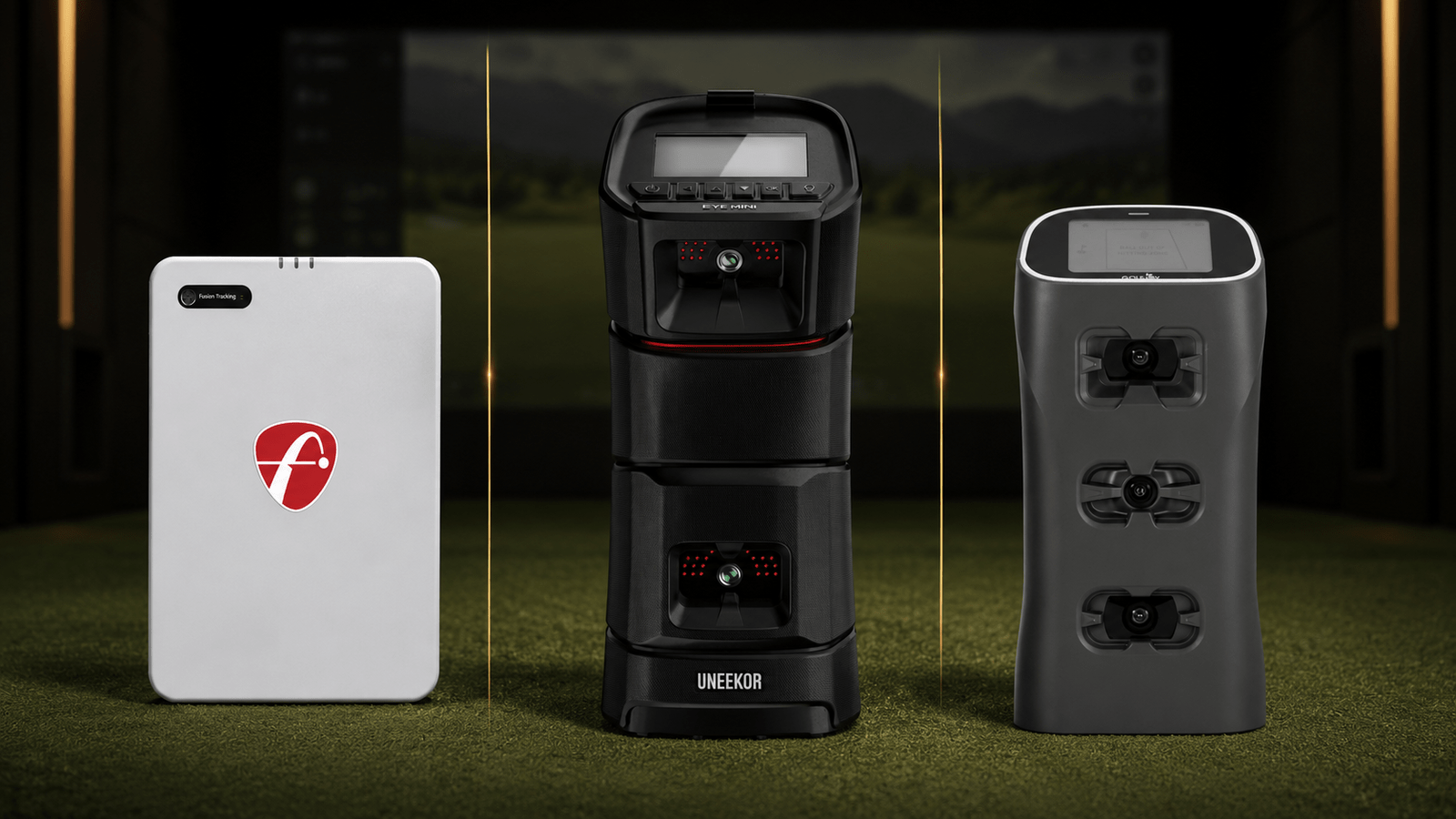
The best golf launch monitors under $5,000 are not interchangeable. Some sit behind the ball and need more room depth. Others use cameras beside the hitting area and work better in shorter rooms. One model in this comparison mounts overhead and stays completely out of the golfer's way.
Before comparing features, confirm your ceiling height, room width, room depth, hitting position, and distance to the screen or net. Our Golf Simulator Room Dimensions by Launch Monitor Type guide explains how those measurements change between radar, floor-mounted camera, and overhead systems.
If you are still deciding between the two main tracking technologies, read our Camera-Based vs. Radar-Based Launch Monitors comparison first.
7 Best Golf Launch Monitors Under $5,000 Compared
This comparison includes every actual launch monitor currently listed by Porters Golf below $5,000. Prices shown are the Porters Golf listed prices as of August 7, 2026 and may change. The prices are for the launch monitors themselves. Software subscriptions, optional data upgrades, computers, enclosures, projectors, hitting mats, mounts, and other simulator components are separate unless the individual product page states otherwise.
Swipe left or right to view the full comparison table.
| Launch Monitor | Listed Price | Tracking and Position | Indoor / Outdoor | Built-In Display | Device or PC Needs | Best Fit |
|---|---|---|---|---|---|---|
| FlightScope Mevo Gen2 | $1,299 | Fusion Tracking; positioned 7–9 feet behind the ball | Indoor and outdoor | No | Phone, tablet, or compatible computer | Lowest-priced portable option and flexible practice use |
| FlightScope Mevo+ | $2,299 | Fusion Tracking; positioned behind the ball | Indoor and outdoor | No | Phone, tablet, or compatible computer | Radar users wanting more included simulation content |
| Uneekor EYE MINI LITE | $2,749 | Dual-camera photometric; placed beside the hitting area | Indoor | No | Compatible Windows PC required | Dedicated indoor room with limited depth |
| TruGolf LaunchBox | $2,999 | Camera-based; placed on the floor beside the hitting area | Indoor and outdoor range-mat use | Yes | Display works alone; PC or iOS device for E6 Connect | Golfers committed to the E6 Connect ecosystem |
| GolfJoy Spica 3 | $3,199 | Three high-speed cameras; placed beside the hitting area | Indoor and outdoor | Yes | Display works alone; compatible computer for simulator play | Portable camera tracking with broad software compatibility |
| Uneekor EYE MINI | $4,500 | Dual-camera photometric; placed beside the hitting area | Indoor and outdoor | Yes | Display works alone; iPad or compatible PC for software | Portable Uneekor tracking and standalone shot feedback |
| NVISAGE N1 | $4,999 | Dual-camera photometric; fixed overhead installation | Indoor | No | Compatible Windows PC and Ethernet connection required | Permanent room used by right- and left-handed golfers |
How the Seven Launch Monitors Differ
FlightScope Mevo Gen2: Lowest Entry Price
The FlightScope Mevo Gen2 is the lowest-priced model in this comparison. FlightScope's Fusion Tracking combines 3D Doppler radar with synchronized image processing. The unit works indoors and outdoors, connects to compatible iOS, Android, or Windows devices, and includes 20 essential data parameters.
For limited-flight indoor use, plan for 7–9 feet between the unit and the ball plus at least 8 feet of ball flight. Aluminum stickers or Titleist RCT balls are required for accurate indoor spin measurements. The Mevo Gen2 is a practical starting point when portability and price matter more than minimizing room depth.
FlightScope Mevo+: More Included Simulation Content
The FlightScope Mevo+ also uses Fusion Tracking and sits behind the golfer. It works for indoor limited-flight practice and outdoor full-flight sessions. Its included E6 Connect package is larger than the Mevo Gen2 package, which may matter to golfers who want more included courses and practice areas.
The Mevo+ still needs meaningful space behind the ball and in front of it. Optional Pro Package and Face Impact Location upgrades expand the club-data and impact-analysis capabilities. Those upgrades are selected through the product add-ons on the Mevo+ page.
Uneekor EYE MINI LITE: Fixed Indoor Camera Value
The Uneekor EYE MINI LITE is a dual-camera floor unit made for a dedicated indoor simulator. It sits beside the hitting area and captures ball and club information at impact, so it does not need the tracking runway required by a radar unit.
The EYE MINI LITE has no battery and no built-in display. A compatible Windows PC is required. It works with any golf ball, includes club data, and provides a 12-inch by 8-inch hitting zone. This is one of the best golf launch monitors under $5,000 for a golfer who wants Uneekor camera tracking in one permanent room and does not need range portability.
TruGolf LaunchBox: Built Around E6 Connect
The TruGolf LaunchBox is a portable camera-based monitor with a built-in display. It captures data without requiring marked clubs or specialty balls and can show essential numbers without a separate phone or computer.
The important limitation is software choice. LaunchBox is built around E6 Connect rather than offering the broad third-party compatibility found on some competing units. E6 software is separate from the base monitor unless the selected product configuration says it is included. LaunchBox makes the most sense for someone who already knows that E6 Connect is the platform they want to use.
GolfJoy Spica 3: Three Cameras and a Touchscreen
The GolfJoy Spica 3 uses three high-speed cameras and includes a built-in touchscreen. It is portable, works indoors or outdoors, and reports 27 ball, club, and trajectory measurements. Any golf ball can be used for ball data; the included clubhead stickers are used for full club tracking.
Spica 3 is a useful middle-ground option for golfers who want immediate information on the unit and wider simulator-software choices. A compatible computer is still needed when the goal is full simulator play rather than standalone practice feedback.
Uneekor EYE MINI: Portable Camera Tracking
The Uneekor EYE MINI adds portability, battery power, and an on-device display to Uneekor's floor-mounted camera design. It uses two cameras, works with any golf ball, and has the same 12-inch by 8-inch hitting zone listed for the EYE MINI LITE.
Basic feedback can be viewed without a computer. An iPad or compatible Windows PC is used for Uneekor software and simulator play, depending on the software selected. The EYE MINI is a stronger fit than the LITE when the monitor will move between an indoor simulator and outdoor practice sessions.
NVISAGE N1: The Overhead Option Under $5,000
The NVISAGE N1 is the only fixed overhead system in this group. It mounts approximately 9–10 feet above the hitting surface and stays out of the golfer's swing area. That makes it convenient for a permanent simulator shared by right- and left-handed players.
The N1 requires a compatible Windows PC, an Ethernet connection, and NVISAGE marked balls for full spin accuracy. It is not the portable choice in this comparison. Its advantage is a clean permanent installation without a floor unit that needs to be moved when golfer handedness changes.
Best Fit by Room and Use
- Lowest-priced portable option: FlightScope Mevo Gen2
- Radar option with more included E6 content: FlightScope Mevo+
- Dedicated indoor camera system at a lower price: Uneekor EYE MINI LITE
- Portable monitor for an E6-focused setup: TruGolf LaunchBox
- Portable camera system with a touchscreen and broader software choices: GolfJoy Spica 3
- Portable Uneekor option with standalone feedback: Uneekor EYE MINI
- Permanent overhead option: NVISAGE N1
None of these labels means one model is universally better than the others. The right choice depends on the room, whether the monitor will travel, the software you want, and whether both right- and left-handed golfers will use the setup.
Do Not Budget for the Launch Monitor Alone
A launch monitor under $5,000 can still be part of a much more expensive simulator. Before ordering, account for the computer or mobile device, simulator software, hitting surface, net or enclosure, impact screen, projector, mounts, cabling, and required ball or club markings.
Our Home Golf Simulator Budget Planner explains where it makes sense to spend more and where a simpler component may be enough. You can also browse the complete Porters Golf launch monitor collection.
Which Launch Monitor Should You Buy?
Start with your room. If you have the depth and want outdoor range use, the FlightScope radar models deserve a close look. If the room is shorter, a floor-mounted camera system may fit more naturally. If the room is permanent and regularly switches between right- and left-handed golfers, the overhead NVISAGE N1 removes the need to reposition a floor unit.
The best golf launch monitors under $5,000 serve different types of buyers. Decide which tradeoffs you can accept before comparing data-point counts. A monitor that fits your room, works with your preferred software, and matches how you practice is more useful than a longer specification list.
For manufacturer information, review the official FlightScope Mevo Gen2, FlightScope Mevo+, Uneekor EYE MINI LITE, Uneekor EYE MINI, TruGolf LaunchBox, GolfJoy Spica 3, and NVISAGE N1 product pages.
Not Sure Which Launch Monitor Fits Your Room?
Send us your room dimensions, budget, preferred software, and practice goals. We will help narrow the list to equipment that works in your space.
Get My Custom Recommendation